
I Spent €3,699 on the Vision Pro M5, and it's Back in My Dresser (Again)
Apple's upgraded headset fixes every technical problem except the one that actually matters: I don't want to wear it.

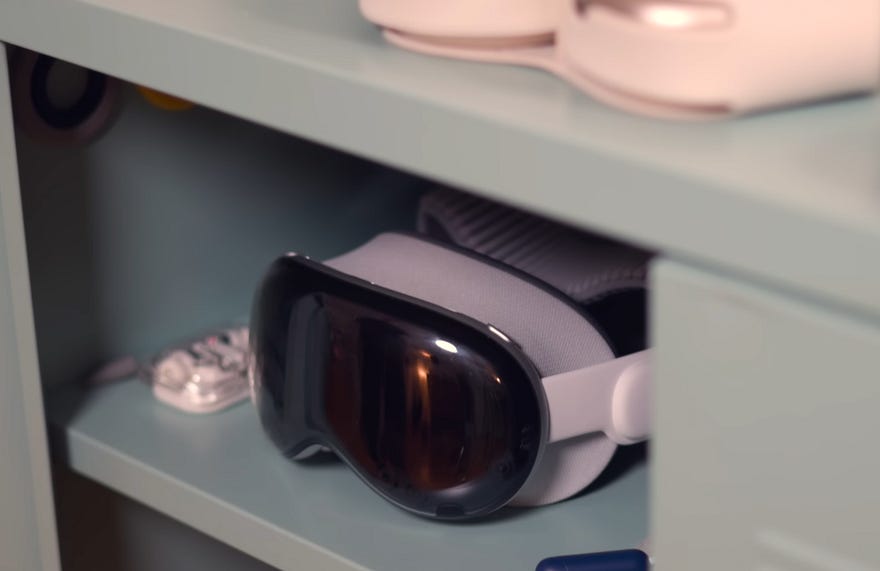
I had envisioned the Vision Pro experience for months. Imagine my massive desk with its giant monitor taking up half my apartment. Gone. Replaced by one small device that lets me open any window at any size, anywhere, and work however I want without disturbing anyone.
The first Vision Pro already offered this in 2024. So I burned through it for a month, then threw it in my dresser, where it collected dust, and returned it to my Chinese friend for the entire year.
That made sense, though. The 2024 Vision Pro had plenty of flaws: uncomfortable, terrible battery life, basically no apps. So when I saw the M5 model arriving, which supposedly fixed all those problems, plus a full year for VisionOS to improve, I thought this would finally be it. So, I bought it this time.
But nope. It also ended up in my dresser.
Except this time, because I finally understand the real reason.
I just spent a week trying to replace my monitors (again) with a Vision Pro M5, and I need to tell you about it.
The Unboxing Deception
Okay, confession time. I haven’t had this Vision Pro M5 for a week. I’ve had it for a month. And there’s a gap between those timelines because after the first day of using it, I didn’t really want to continue.
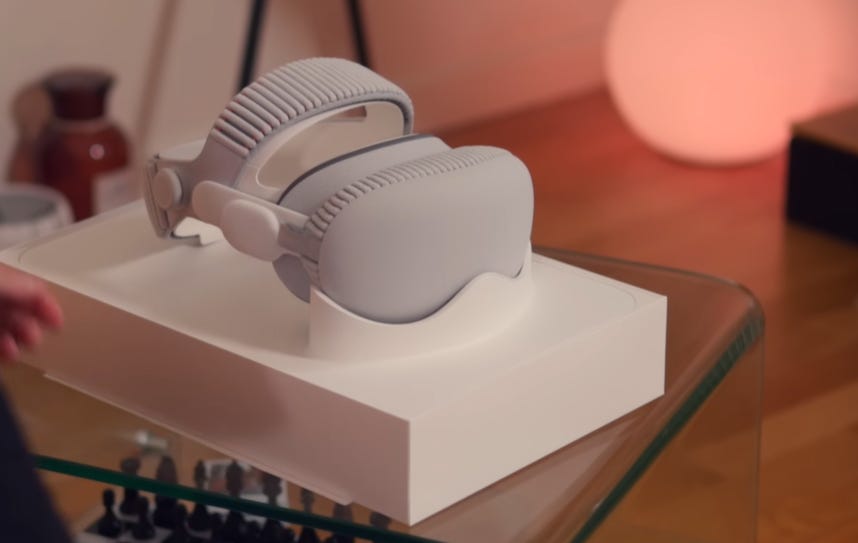
Not because of the unboxing, though. The Vision Pro remains the Rolls-Royce of mixed reality headsets. Aluminum, glass, and premium materials everywhere. It’s the only one that doesn’t give me toy vibes when I hold it, even though it weighs quite a bit.

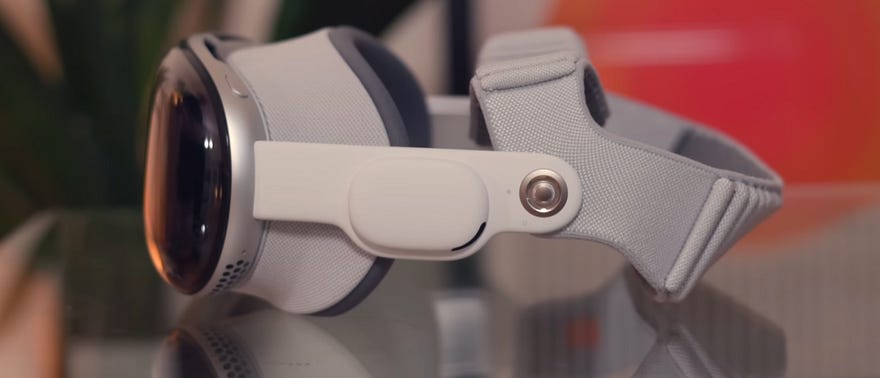
But that weight doesn’t matter this year because of the new headband. Last year, you had to choose between stylish and painful or ugly and just uncomfortable. This year, the elaborately designed dual-woven headband with a single dial to separately adjust pressure on both bands? Very Apple attention to detail, I love it.
With the extra padding on both bands, the Vision Pro initially feels less annoying to wear. That’s a good start.
Then I started navigating. VisionOS still looks stunning. The subtle wrist gestures and eye tracking to navigate the interface still feel magical to me. So, I jump into the App Store to see what I can actually do with it now.
Nothing. With a few exceptions, it’s the same selection as last year. More tech demos than useful apps.
Okay, that’s fine. I’ll check out the new immersive 3D content. There are new experiences, especially in the POV Explore app, which is excellent, and the Mini LED displays are so precise that I lose myself in them. You have to understand, Vision Pro genuinely gives this impression of being there. I comprehend the actual size of animals, people, and landscapes. I can see details clearly.
It’s still a technical masterpiece, and I’m weighing my words carefully here.
But after two hours, I’d exhausted all the new content. Literally two hours. That’s it. I’d hoped to test VisionOS as a standalone platform, to actually replace all my devices with it. In 2026, we’re still nowhere close to that.
So for two solid weeks: dresser, dust, repeat.
Until I resigned myself to reframing my expectations entirely.
What It Actually Does Well
Okay, let’s admit it. Vision Pro still doesn’t do more, but does it do better at this high-tech screen replacement use case I tested last year?
First off, I should say this ultra-minimal setup with just a Mac Mini as my computer gives me aesthetic pleasure. It’s stylish.
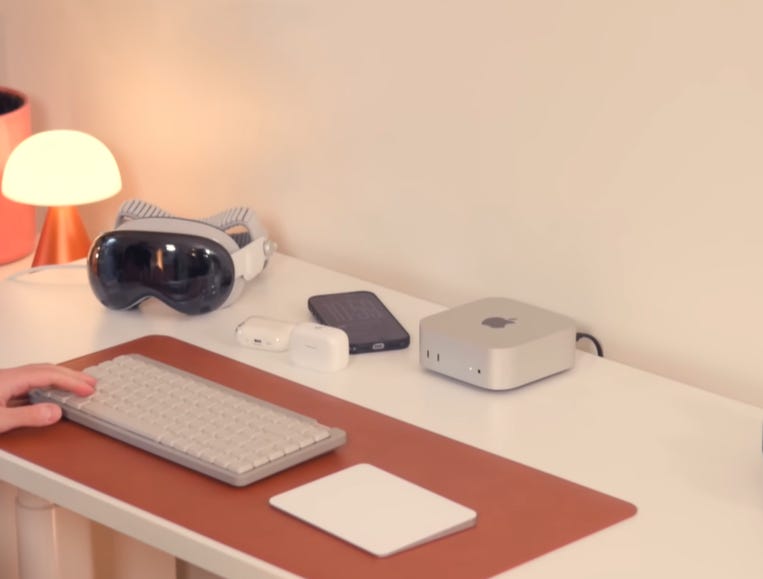
Day one, I turn on the Mac Mini, put on the Vision Pro, and I’m slightly surprised because it no longer makes me wait in darkness while waking from sleep. With a headset on, that loading time is annoying as hell. The M5 chip helps there.
I navigate through VisionOS’s very stylish new control screen. I launch Sidecar to mirror my Mac display like on an iPad, and, wow, there’s something new here. I’d tested this before, but VisionOS handles the Mac connection much better now. It’s a true system window with a shadow that I can pin to the wall, and which even curves slightly around me.
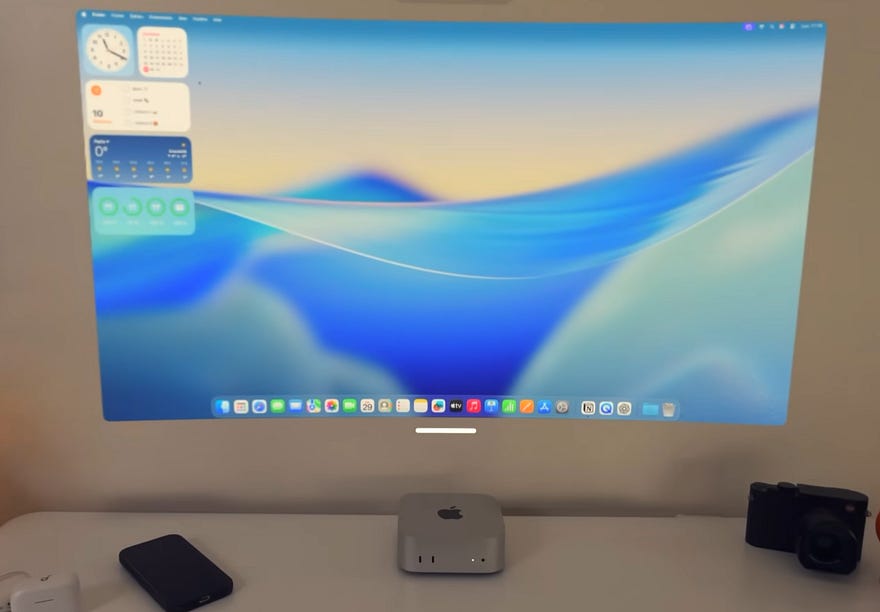
I start my morning web browsing on Reuters in massive size, obviously, and I can launch a YouTube video alongside it in Vision Pro’s Safari. Still using my trackpad, by the way, which seamlessly switches between Mac and Vision Pro thanks to Continuity. Zero latency at any point. Perfect.
It’s nice, I’m relaxing even though it’s a bit rough, drinking my coffee with barely half my field of vision available. At least with the new headband, I no longer feel like I have a headset strapped to my face, but simply resting on my head. That’s already better.
But there’s something I’d forgotten. The Mac connection became customizable this year. I can choose between three screen formats: classic, wide, and ultra-wide.
So obviously, I had to play Cyberpunk on a 100-inch ultra-wide from my couch.
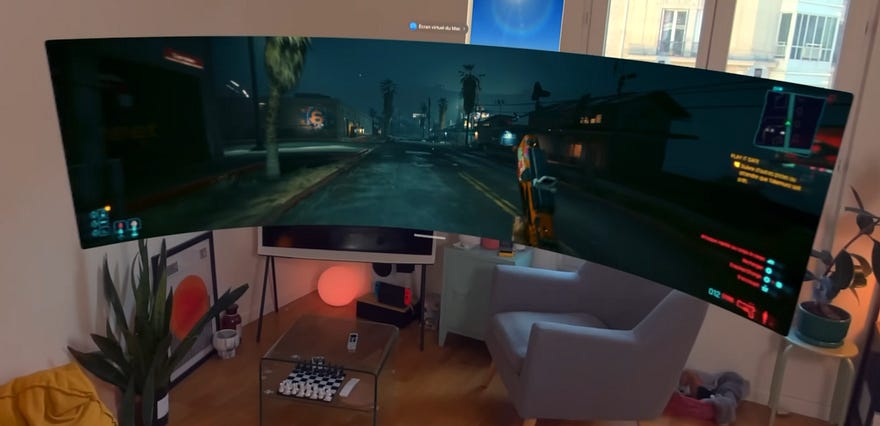
Once again, the experience is incredible. The sharpness, the Mini LED rendering without any reflections — obviously, it’s all inside the headset, and especially the Mac audio transmitted directly to the excellent spatial speakers in the headset, which wasn’t the case before.
There’s a tiny portion of latency; it’s wireless, but it’s livable. The experience is wild. And of course, Vision Pro is an Apple device, so I receive my messages and calls on it. I don’t need to remove it every time something happens.
After two hours enjoying life like this, I have a bit under 50% battery remaining. You still need a power outlet for very long sessions, but it’s better. A good first day overall. Vision Pro has improved enormously as an alternative setup, but I knew problems would probably show up the next day because I’d actually have to work.
Kind of the story of life, really.
When Reality Intrudes on Virtual Productivity
The next day, I was editing my thesis. Right away, putting a headset on my head feels less fun, but whatever, I dive in, open Final Cut, start cutting and aligning my clips for a brand collaboration, and the virtual screen seems much sharper than before. I have less of that hazy veil sensation over my vision. Maybe it’s the 10% additional sharpness from the M5 chip.
Plus, since Vision Pro now displays at 120fps, I honestly don’t notice much difference in fluidity, but I definitely have this sensation of less visual fatigue using Vision Pro like this. Especially since it has two other bonuses for this use case this year.
Number one: since I can now combine Mac audio and VisionOS audio on its speakers, I can use Vision Pro’s Apple Music. Cool little control widget within arm’s reach.
Number two: with the new widgets, I can place my clock on my wall next to me, a tiny display to launch my music as soon as I sit down, or even a weather frame that stays there permanently, like furniture, essentially.
I built my virtual setup this way, and since my eyes and hands have gotten somewhat used to it at this stage, it’s honestly quite pleasant working like this. Or at least it was until Spaghetti woke up and my girlfriend started cooking.
Oh yeah. With the insane noise cancellation of the AirPods Pro 3, as soon as I turn the dial and enter full virtual reality mode, I’m gone. I’m at a lake, I’m in the desert, I’m even on Jupiter now, and I can genuinely keep working.
Since my keyboard and trackpad remain visible now, no problem. I’m literally in my work, and because it’s physically attached to me, I think twice before stepping away from it. Nobody can look over my shoulder and see I’m editing a video of myself, and nothing can distract me.
Well, nothing except my Fallout episode.
This is what strikes me about Vision Pro this year: it seems to have found its purpose. It’s the ultimate concentration and immersion tool. And if I ever work in an open office again, I’m honestly bringing it.
But paradoxically, that’s also the problem.
Once my editing was done, I returned to what constitutes 90% of my work: finding ideas and writing my scripts. This article, actually.
But wait, I’m being stupid. Why bother staying at my desk when I can just… Ah, it feels so good to sit anywhere with a complete setup, even lie down if I want.
Especially now that I’ve readjusted to Vision Pro and with this headband, it’s pretty comfortable.
But actually, contrary to what I thought, I also find that Vision Pro removes quite a bit of freedom for the immersion it provides.
Working isn’t just about staying concentrated. I also find that during the writing process, I often pause, contemplate, handle the item I’m filming, play with my cat for a breather, and it’s frequently during these moments that I get a good idea, which I then quickly write down.
All things that are theoretically possible with Vision Pro. It has excellent, very sharp rendering with its displays and cameras. But in those moments, I miss the reality of my own eyes too much to also tolerate the weight of a headset.
And that’s the Vision Pro paradox. What I love isn’t Vision Pro — the object, the immersive tool that’s great for concentration, but not always practical, and which I rarely need.
What I actually love is VisionOS: its intuitiveness, its beauty, its ecosystem, all the possibilities I have with it.
The problem is that today, VisionOS cannot exist without Vision Pro.
The €3,699 Question Nobody’s Asking
Here’s what nobody wants to admit about the Vision Pro M5: it’s not a product problem, it’s a philosophy problem.
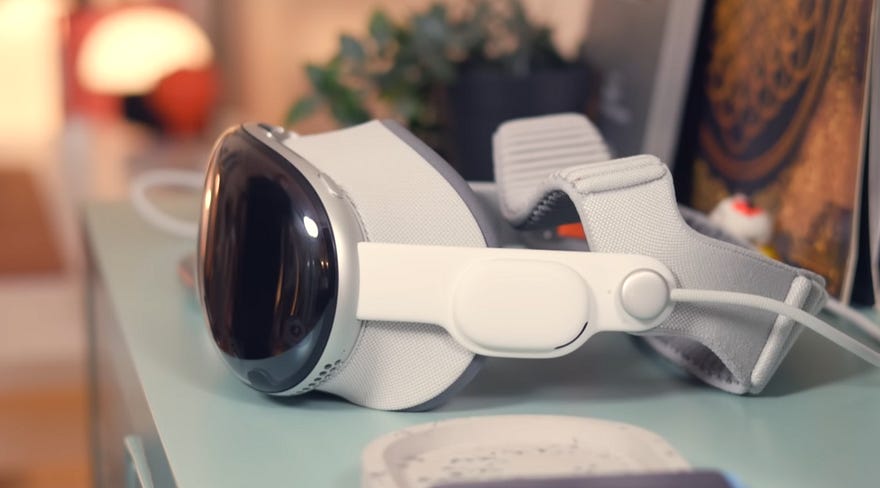
Apple spent years perfecting the hardware. The M5 chip is powerful. The displays are stunning. This hand tracking is magical. The build quality is unmatched. Every technical metric screams, “This is the future.”
But the future of what, exactly?
I paid €3,500 for a device that makes me more productive by isolating me from reality. That’s the pitch, right? Remove distractions, immerse yourself in work, and achieve flow state on demand.
Except here’s what actually happens: I put on the headset, I’m incredibly focused for 90 minutes, then my girlfriend asks me a question, and I can’t hear her properly. The pass-through cameras let me see my cat jump on my lap, but I don’t physically feel it. I want to drink water, and I’m fumbling blindly for my glass.
The Vision Pro doesn’t enhance my reality; it replaces it. And I’m not sure that’s what I actually want, even if it makes me technically more productive.
What Apple Got Right (And Terribly Wrong)
Let me be clear about what works:
The M5 chip genuinely improves the experience. Faster wake times, sharper displays, better performance. This new headband is a massive comfort upgrade. The Mac connectivity is finally seamless enough to be useful. The 120fps display reduces eye strain noticeably.
These aren’t small improvements. If you rented the 2024 Vision Pro and felt disappointed, the M5 version addresses many of those complaints.
But here’s what Apple misunderstands: hardware excellence cannot compensate for a lack of interesting use cases.
The App Store is still barren. Third-party developer support is minimal. The absence of VisionOS apps designed for professional workflows means I’m still reliant on connecting to my Mac for a significant portion of my tasks.
Apple built an incredible platform with almost nothing to run on it. It’s like they spent five years engineering the most advanced car ever made, then discovered there are no roads.
The VisionOS Problem
I keep coming back to this: I love VisionOS. The interface is beautiful, the gestures are intuitive, and the spatial computing concepts are genuinely innovative.
But VisionOS is permanently trapped inside a heavy headset I don’t actually want to wear most of the time.
What if Apple released VisionOS for iPad? Obviously, without the full spatial capabilities, but imagine iPad apps with the VisionOS interface paradigm. Imagine hand gestures and eye tracking on a device I can actually carry around without looking like a cyborg.
Or what if they released actual lightweight AR glasses? Not the full Vision Pro experience, just notifications, navigation, and quick information overlays. Something I could wear all day without physical discomfort or social awkwardness.
The technology is brilliant. The execution is flawed because it’s solving a problem most people don’t have while creating new issues nobody asked for.
Who Is This Actually For?
After a month with the Vision Pro M5, I’ve concluded there are exactly three types of people who should buy this:
One: developers building spatial computing apps. You need the hardware to create for the platform, obviously.
Two: Ultra-wealthy early adopters who collect expensive tech gadgets and can afford to have a €3,699 device sit in their dresser 90% of the time.
Three: people with precise workflows that genuinely benefit from immersive computing. Maybe architects are visualizing 3D models? Designers working in VR environments? These niches exist; they’re just tiny.
For everyone else, including me, the Vision Pro M5 is a stunning piece of technology without an interesting reason to exist in their lives.
Why I’m Keeping It Anyway
Plot twist: despite everything I just said, the Vision Pro M5 isn’t going back in my dresser permanently.
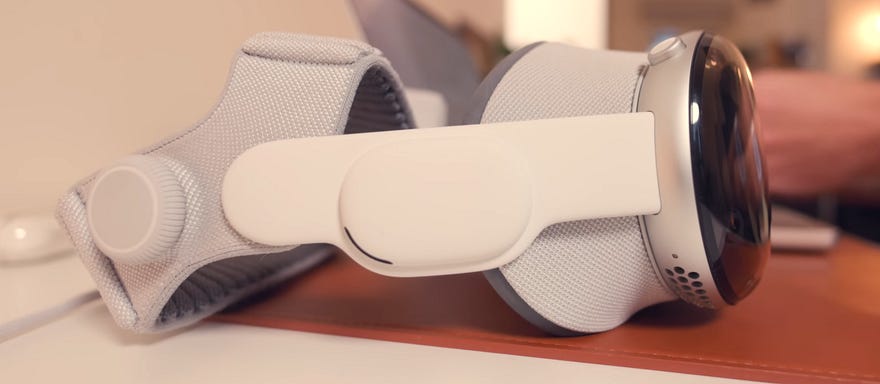
Not because it’s worth €3,699. Not because it replaces my monitors or revolutionizes my workflow. But because occasionally, maybe once or twice a week, I have a specific task that benefits enormously from complete immersion.
Editing complex video timelines. Writing long-form content when my apartment is chaotic. Watching movies when I want to completely escape.
In those specific moments, nothing else comes close. The experience is so superior to any alternative that I can justify the cost as a specialized tool rather than a general-purpose device.
That’s not the endorsement Apple wants, but it’s the honest one.
The Factual Question
So here’s what I keep wondering: is the Vision Pro M5 a revolutionary product that’s just ahead of its time, or is it a technological dead end that proves some ideas sound better than they work?
I genuinely don’t know. Maybe in five years, we’ll all be wearing lightweight AR glasses running VisionOS, and this will seem like the obvious transitional device. Maybe in five years, Apple will have quietly discontinued the Vision Pro line and pretended it never happened.
What I do know is this: if you’re considering buying a Vision Pro M5 thinking it will replace your computer, your monitors, or your workflow, you’re going to be disappointed. It won’t. It can’t. Not yet, maybe never.
But if you’re wealthy enough to afford an occasionally useful €3,699 specialized tool that delivers unmatched experiences in very accurate scenarios, then yeah, it’s incredible at what it does.
Its greatest strength is in demonstrating the potential of a better reality while also helping you recognize the value of what currently exists.
That’s the Vision Pro M5 paradox, and I don’t think Apple knows how to solve it yet.