

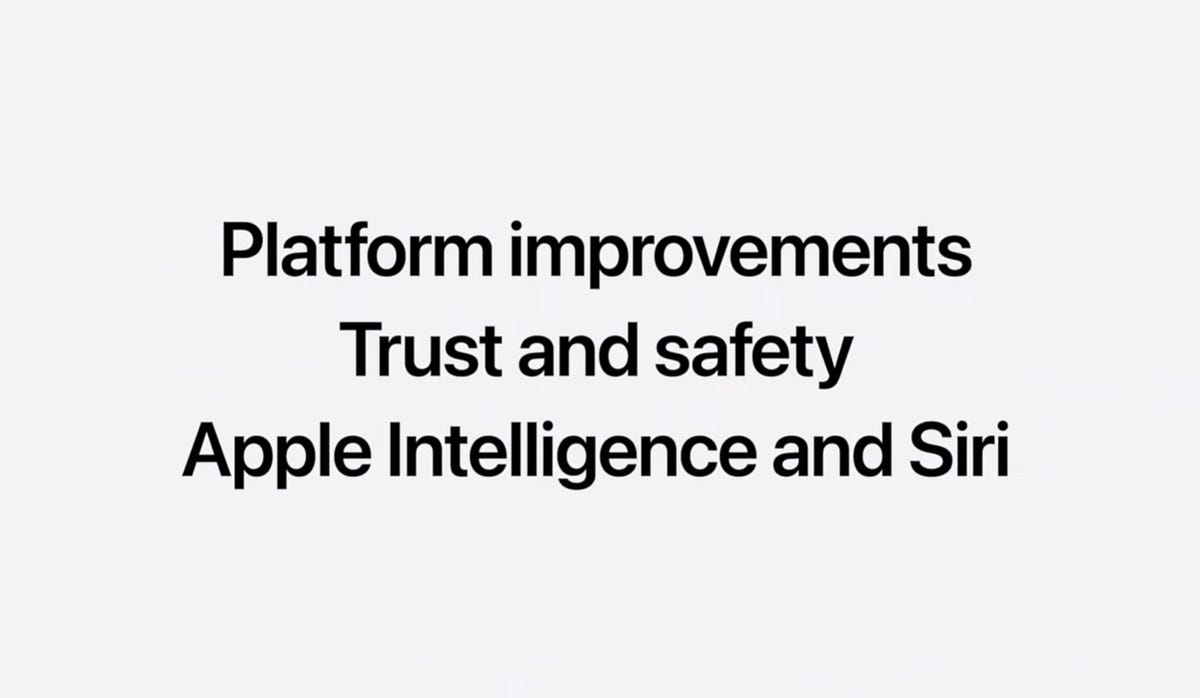
Apple’s WWDC 2026 keynote, held on June 9, was one of the most information-dense developer conferences the company has staged in years. Rather than scattering updates across separate systems, Apple consolidated everything under a single identity: System 27. iOS 27, iPadOS 27, and macOS 27 — now named Golden Gate — are treated as one unified platform. The structure of the keynote said as much as the announcements themselves: fixes before features, and AI woven through daily use rather than bolted on as a standalone product.
Three themes ran through every announcement: a sweeping performance and design refinement, the most ambitious child safety overhaul Apple has ever shipped, and the complete reinvention of Siri under the banner of Siri AI.
A Smarter, Faster System Under the Hood
Apple opened with what the company described as a Snow Leopard-style engineering push — the kind where the goal is making everything that already exists work far better. According to Apple’s own testing, app launch performance improves by up to 30%, photos load up to 70% faster, and AirDrop transfers are up to 80% quicker.
iOS 27 supports iPhones as far back as the iPhone 11, which is a meaningful commitment for a release this technically ambitious. Spotlight has been substantially rebuilt and now indexes all of your personal content — messages, files, photos — with far greater depth than before. The transition between cellular and Wi-Fi is also smoother, addressing one of those small but persistent frustrations that accumulates over time. Maps gains more textured 3D satellite navigation, Wallet can now scan any physical card, and AirPods users get a customizable equalizer directly in Settings.
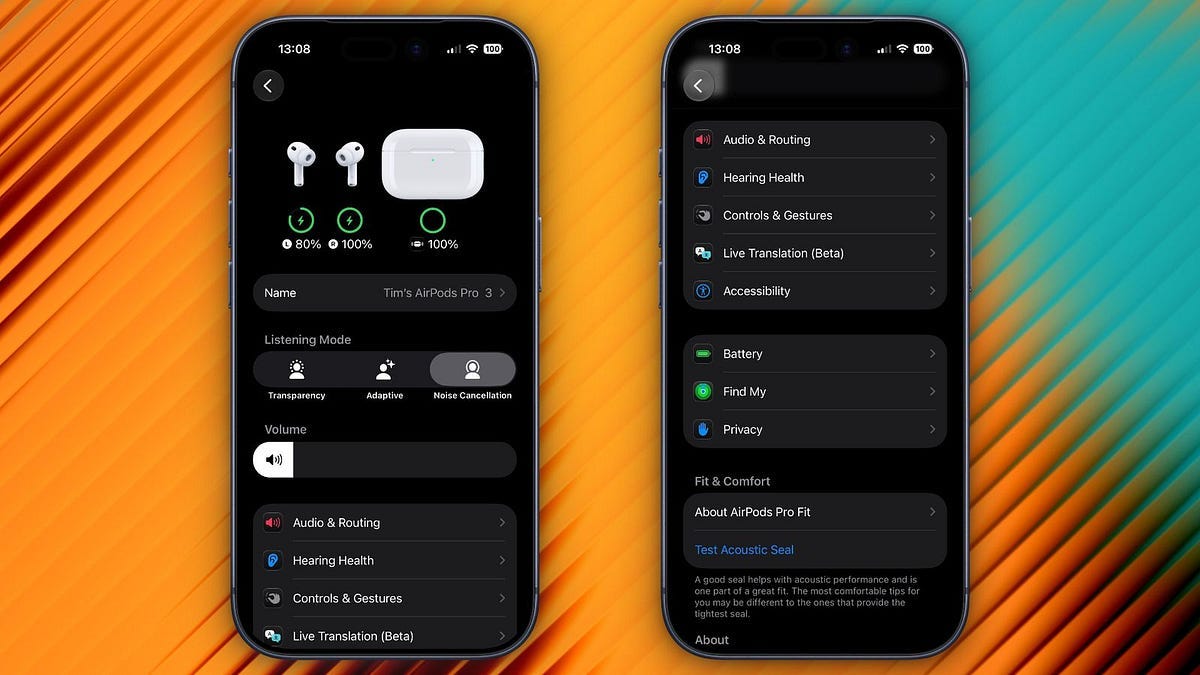
On the design side, Apple is not abandoning Liquid Glass — the transparent, refractive UI language it introduced in iOS 26 — but is treating this year as a “cleanup and refinement effort,” fixing shadows and transparency quirks that drew criticism at launch. You can now control the level of transparency and frosted-glass blur yourself. Toolbar layouts and sidebars have been re-anchored, and rounded corners are now consistent across the entire interface. The icons have also been updated to reflect the Liquid Glass aesthetic coherently, with a layered depth that feels more intentional than the first attempt.
The Parental Controls Overhaul Apple Should Have Built Years Ago
The second major pillar of WWDC 2026 was child safety, and Apple did not treat it as a footnote. Apple’s vice president of Health and Fitness, Sumbul Desai, M.D., framed the push around the belief that “every child is unique,” with tools designed to let parents tailor their children’s digital experience rather than apply a single blanket restriction.
This timing was deliberate: Apple unveiled these features on the same day that UK Prime Minister Keir Starmer gave Apple and Google a three-month deadline to introduce device-level controls to prevent children from accessing or sharing explicit images. The US Congress is also advancing the Kids Online Safety Act, and this release reads as if Apple is getting ahead of both.
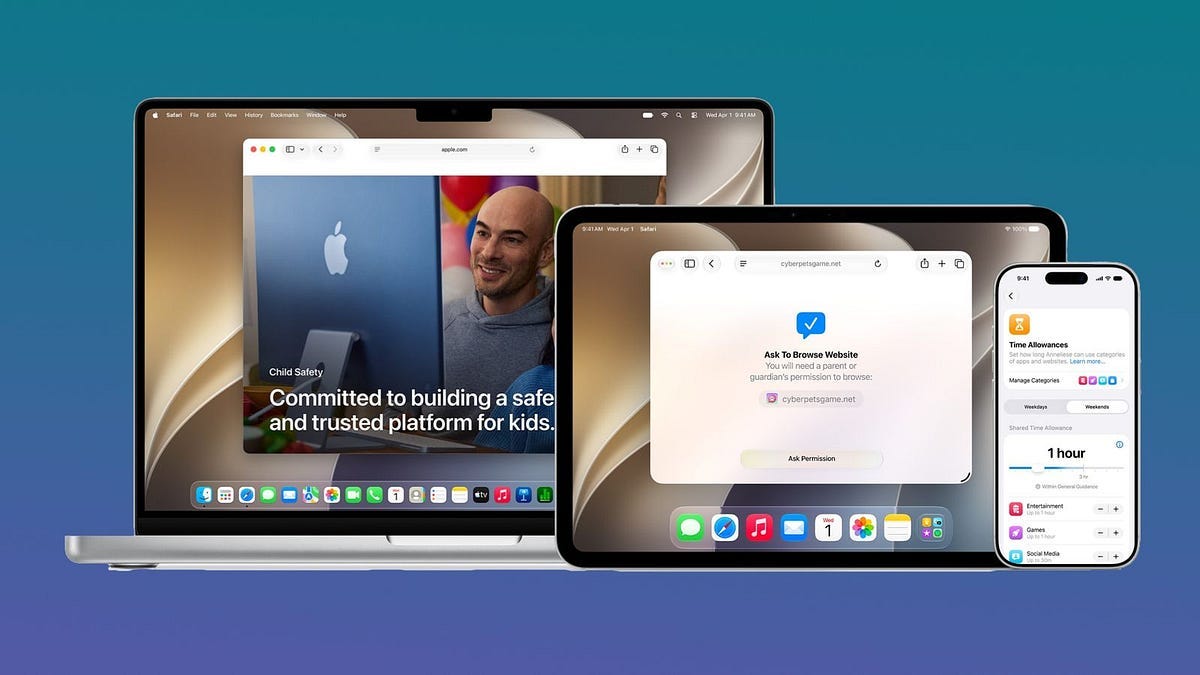
The centerpiece is the redesigned Child Account, which automatically applies age-based restrictions across Apple devices. Accounts are fully reversible — a standard account can become a child account, and a child account can be promoted to a standard one as the child grows. Setup now includes a guided, on-screen flow that lets parents start with a limited set of approved apps and gradually expand access over time.
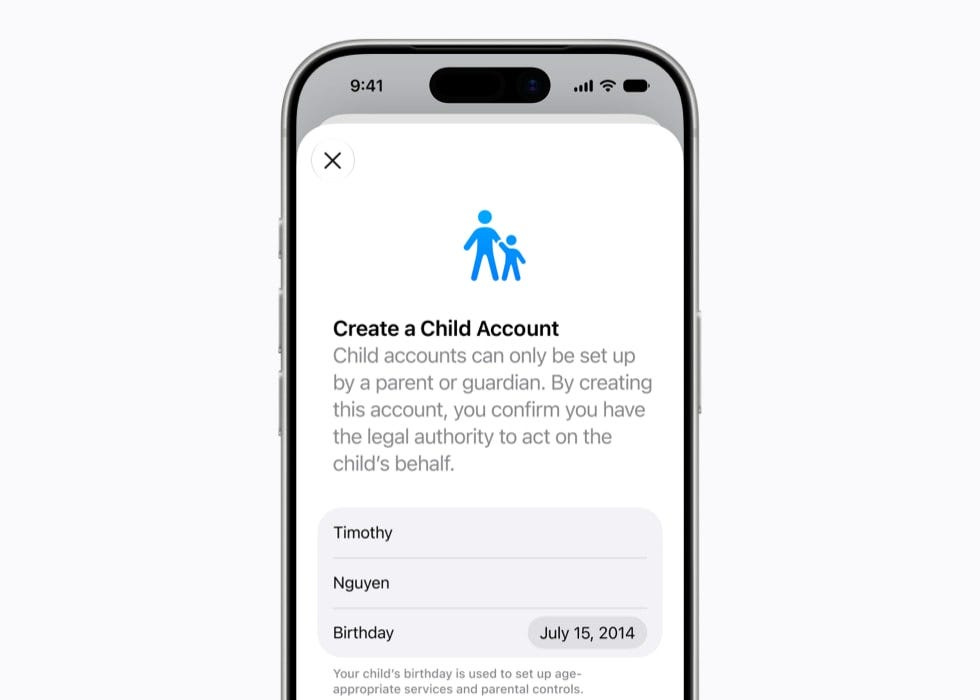
A key new feature, Ask to Browse, requires children to obtain parental approval before visiting new websites in Safari. Parents can review and approve or decline requests directly in Messages — a direct extension of the Ask to Buy framework already used for App Store purchases.
Contact management has also been redesigned. When a child wants to add a new contact, the system can require them to ask a parent first. Communication Safety, which already detects and blurs nudity in Messages and FaceTime for users under 18, now also catches and blocks gore and violent imagery in shared photos and videos.
Time Allowances let parents set daily limits by app category — Entertainment, Games, and Social Media among them — with scheduling tools that manage which apps are accessible and when. Different profiles can be applied to different days: stricter access during school hours, more flexibility on weekends. Parents can monitor usage in real time and adjust limits on the fly. Apple has also launched a dedicated website to walk families through these tools.
Siri AI: Apple’s Most Consequential Bet in Years
The third pillar — and the one that will define whether WWDC 2026 is remembered as a turning point — is the complete reinvention of Siri.
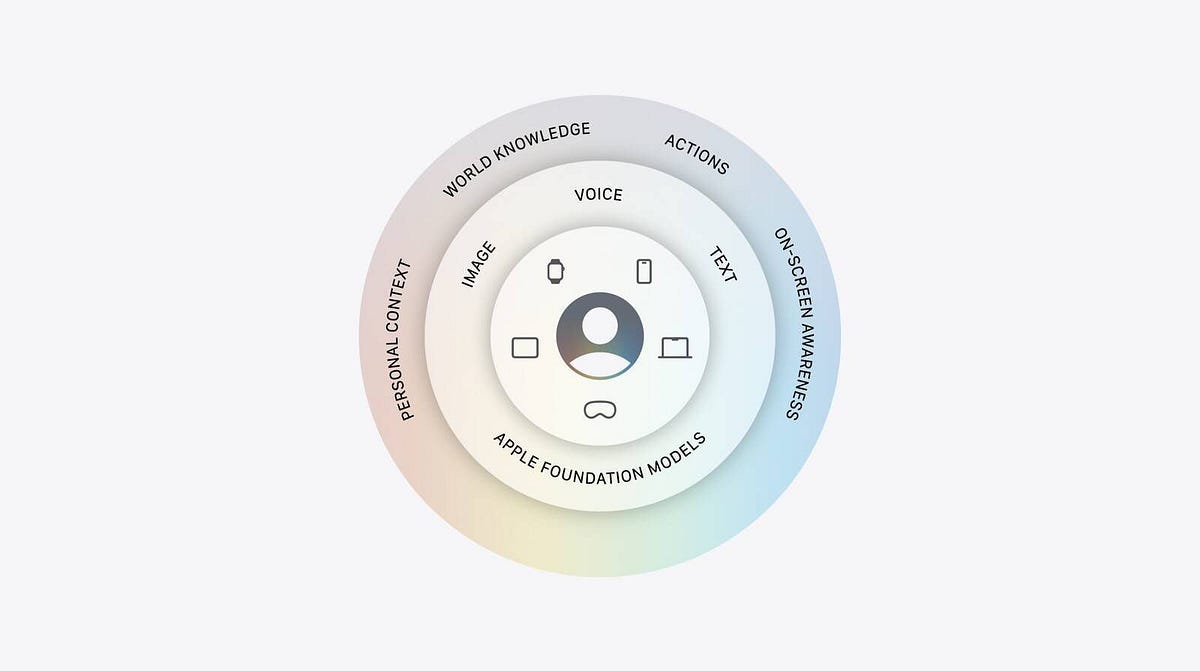
With Google Gemini powering the new experience under the hood, Apple claims Siri AI will be significantly more capable, conversational, and compatible with visual intelligence. It is now housed in a standalone app in addition to operating across the system as before. The decision to partner with Google on the foundational model is a significant strategic shift. Apple and Google announced this collaboration in January 2026, and the Gemini foundational models now power the revamped Siri and the broader Apple Intelligence experience — though users will not see Gemini branding anywhere on their devices.
For demanding tasks, everything routes through Apple’s Private Cloud Compute — a system of isolated private servers that process requests ephemerally and delete everything afterward. No data is retained on remote servers. This architecture allows Siri to understand deeply personal context without that context ever leaving Apple’s privacy envelope.
Apple redesigned Siri to understand personal context and see what is on the user’s screen, allowing it to handle multi-step tasks across different apps rather than answering one question at a time. This on-screen awareness — called Screen Awareness — means that if you are browsing Instagram and see a piece of clothing or a location you want to identify, Siri can read the screen and answer your question directly. WWDC demos showed Siri surfacing specific photos with filtered faces without opening the Photos app, building a multi-stop navigation route by identifying a beach arch from an on-screen photo, and pulling up something a contact mentioned in a previous conversation.
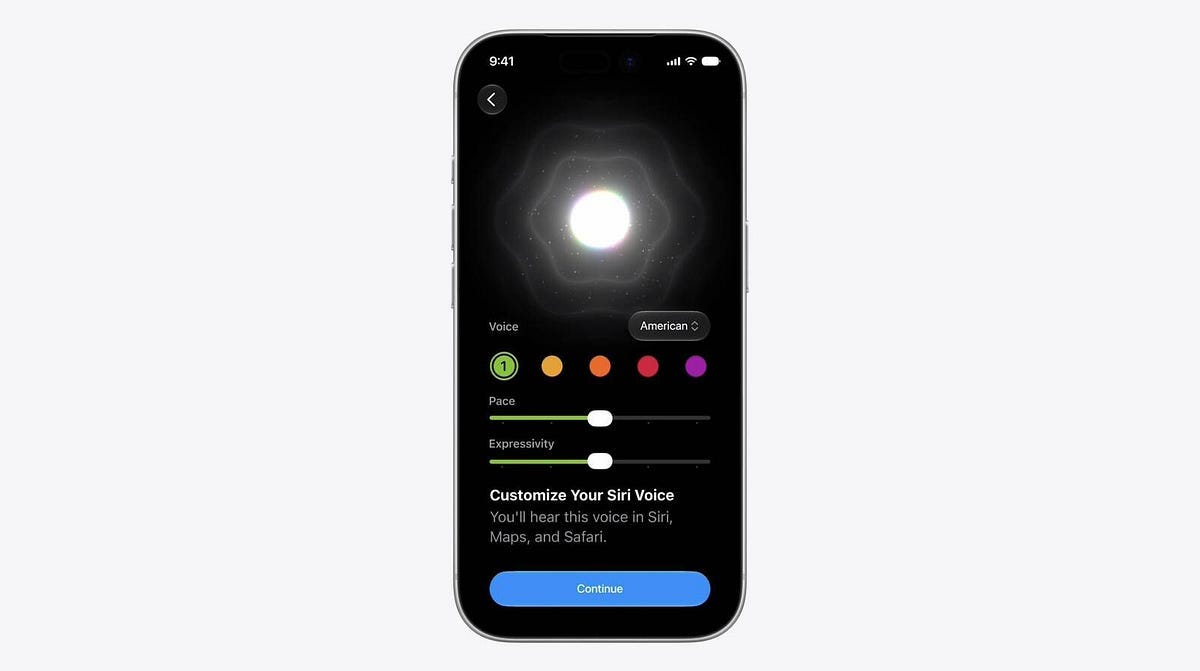
The voice has been re-recorded to sound more fluid and natural, and users can adjust pace and expressivity. Writing assistance is now more contextual — closer to how Grammarly operates — analyzing tone and context to suggest better phrasing. If you ask Siri to reply to a work email, it will default to a professional register without being told to.
New ways to invoke Siri: voice, long press on the side button, or a swipe down from the Dynamic Island. A second swipe down from the active conversation drops you directly into the standalone Siri app for extended text-based interaction.
One important caveat: Siri AI will initially launch in English, with more languages to follow. Apple has confirmed Siri AI will not be available on iOS 27 and iPadOS 27 in the European Union at launch, though it will be supported on macOS, watchOS, and visionOS in the region.
On Mac, Siri is now integrated directly into Spotlight. You can select files on your desktop and ask Siri to summarize or compare them. A practical example: select two iPhone spec sheets and ask for a side-by-side comparison — Siri reads both and delivers a structured answer.
Your iPhone’s Camera Just Became a Pro Editing Suite
The Photos app in iOS 27 has been rebuilt around five AI-powered tools that, taken together, put capabilities previously reserved for desktop software directly on your phone.
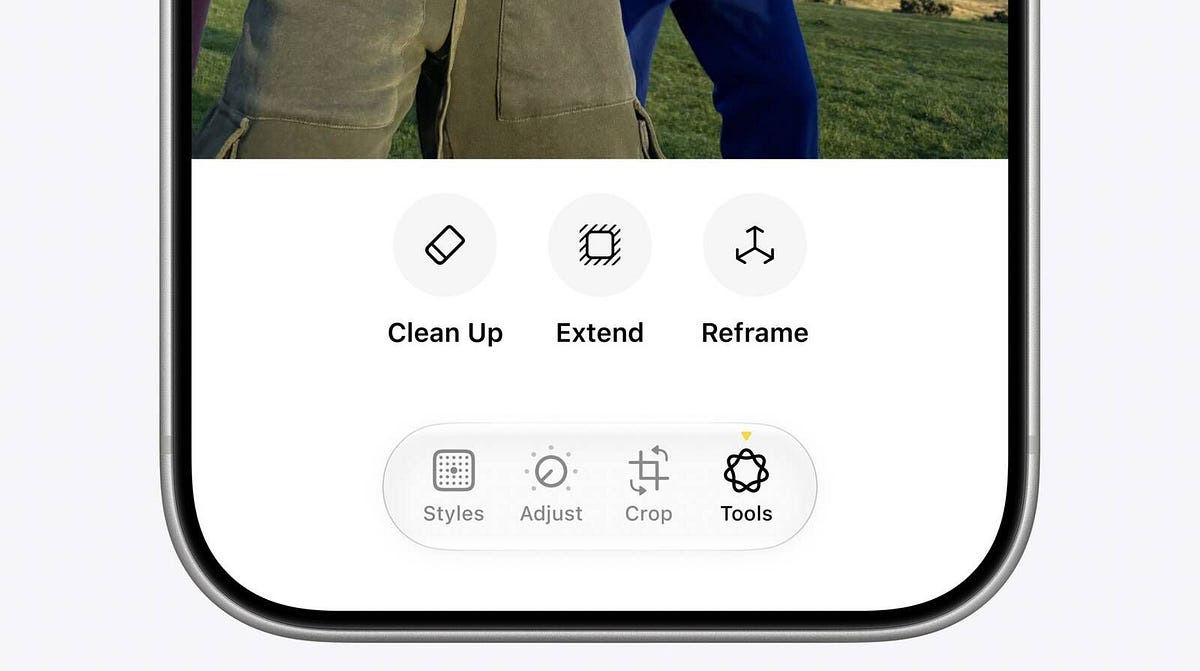
Extend adds generative background content to a photo, useful for adjusting framing or aspect ratio after the fact. Reframe lets users reposition the virtual camera angle of a photo after it has already been taken. You drag and tilt the image to adjust framing and perspective, with Apple Intelligence generating content to fill any gaps created by the shift. Apple says it generates new content only where the perspective requires it, maintaining consistency with the original scene. The feature works on spatial photos taken with Vision Pro, standard iPhone photos, and even images taken with non-Apple cameras.
Enhance is a one-tap quality improvement that adjusts lighting, contrast, and color to produce a result that would previously require manual editing. Clean Up — which lets you remove people or objects from the background — has been substantially rebuilt to be competitive with what Samsung and Google currently offer. And Natural Editing replaces the need to hunt for specific sliders: you tell Siri what you want (“make the sky bluer,” “bring up the contrast slightly”) and it executes the edit for you.
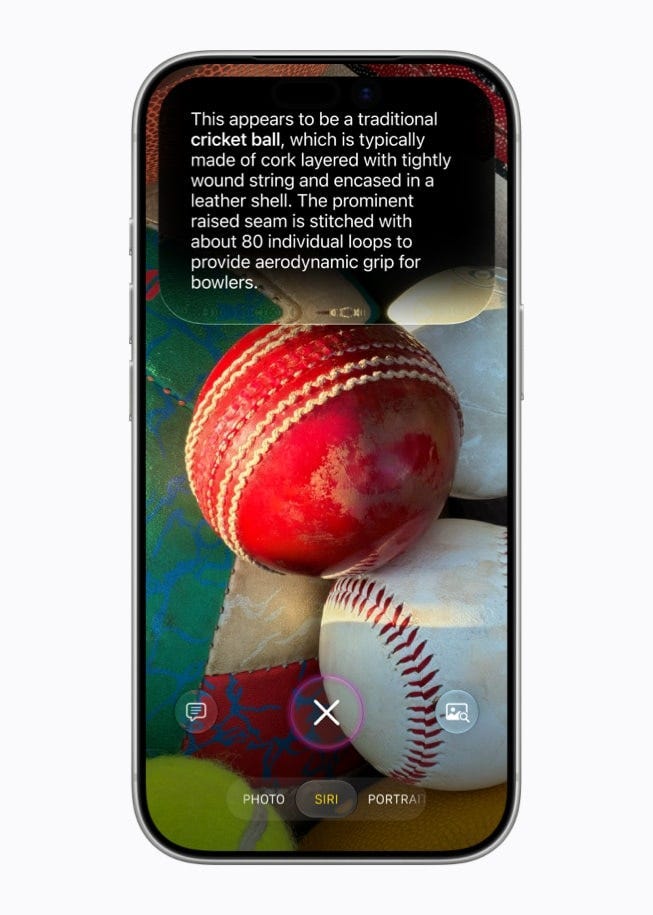
Siri’s integration with Photos extends to organization as well. You can ask it to find photos from a specific weekend and add them to a family album, or send them to specific contacts, without any manual navigation. Visual Intelligence — now more prominent in the Camera app — lets users ask Siri about what they are looking at, with information pulled from the web. Practical uses shown include scanning a meal for nutritional data, photographing a business card to create a contact, and splitting a restaurant bill by having Siri read the check and divide items by person.
What Comes Next
Developer betas are available immediately, the public beta arrives in July, and the final release ships this September alongside the iPhone 18 Pro, iPhone 18 Pro Max, the iPhone Ultra, and Apple’s first foldable iPhone.
The full list of compatible devices and OS-specific details is available on Apple’s website. What is already confirmed: iOS 27 runs on everything from the iPhone 11 onward, and the AI features require iPhone 15 Pro or newer, or an M-series iPad or Mac.
The version of Apple that showed up at WWDC 2026 knows it has been behind. The structure of this keynote — engineering fixes first, parental tools second, AI ambition third — suggests a company that has internalized the criticism and is trying to rebuild credibility through execution rather than promises. Whether Siri AI performs as shown in the demos is the only question that actually matters now.
All performance figures cited in this article are based on Apple’s internal testing conducted in April and May 2026. Real-world performance will vary by device, configuration, and usage patterns.